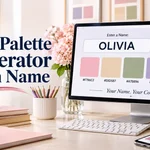
A color palette generator from name is a creative tool that transforms a person’s name, business name, brand name, or any text into a collection of coordinated colors. Instead of selecting colors manually, users can enter a name and generate a personalized color palette containing different shades, HEX codes, and attractive color combinations.
It offers a simple way to discover color inspiration for websites, logos, social media graphics, digital artwork, and personal branding.
A name-based color generator combines creativity with digital color design. Depending on how the tool works, it may use letters, character values, randomization, or predefined color associations to produce a palette. The result can be playful, aesthetic, or suitable for a professional visual identity.
In this guide, you will learn what a name-based color palette generator is, how it works, how to use one, and how to choose the right colors for different creative projects.
What Is a Color Palette Generator From Name?
A color palette generator from name is an online design tool that creates a group of colors based on text entered by the user. The input might be a first name, full name, nickname, company name, website name, or any other combination of letters.
The generator processes the entered text and produces a selection of colors that can be used together in a design. Depending on its features, it may display color swatches, HEX codes, RGB values, or a complete visual color scheme.
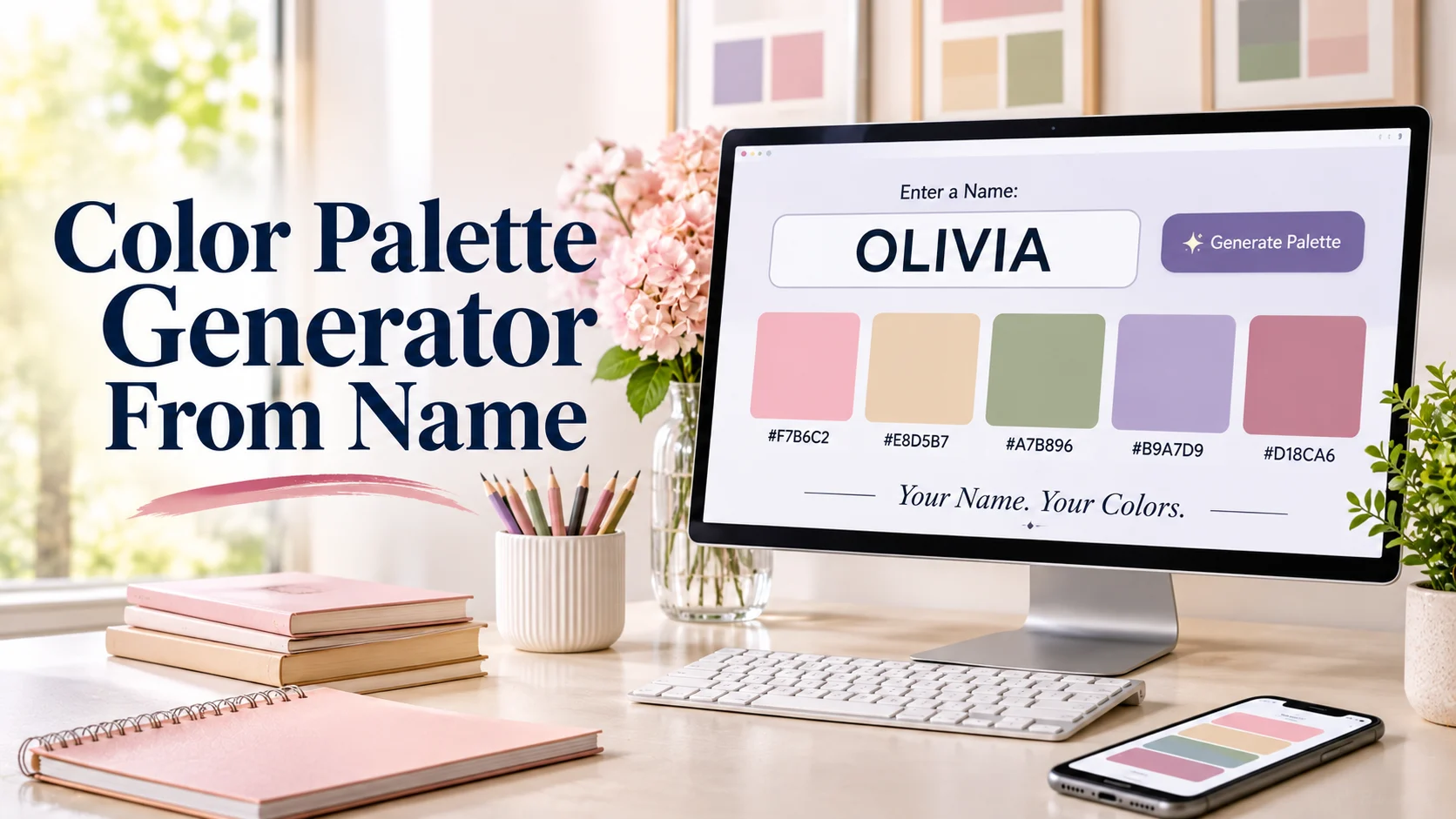
For example, someone entering the name “Olivia” might receive a palette containing soft pink, warm beige, muted purple, sage green, and a complementary neutral shade. Another person entering “Alexander” might receive a completely different combination.
However, there is no universal color scientifically assigned to every name. The colors depend on the generator’s algorithm, design rules, or predefined associations.
What Can You Generate With a Name-Based Color Tool?
A name-to-color generator can be useful for several creative purposes:
- Personal color palettes: Discover a collection of colors inspired by your first or full name.
- Brand color schemes: Explore potential colors for a business or personal brand.
- Social media aesthetics: Find coordinated colors for posts, stories, banners, and profile designs.
- Website color combinations: Generate ideas for backgrounds, buttons, headings, and other website elements.
- Graphic design inspiration: Experiment with different color combinations for posters, illustrations, and digital artwork.
- Creative projects: Use generated colors for invitations, presentations, wallpapers, and personal projects.
The main purpose is to make color discovery easier and provide inspiration without requiring advanced graphic design knowledge.
How Does a Color Palette Generator From Name Work?
A name-based color generator uses a method to convert text into color values. The exact process depends on the tool, but several approaches are commonly possible.
1. Letter-Based Color Generation
One approach assigns numerical values to individual letters. Each letter can be converted into a number using its position in the alphabet or another character-encoding system.
For example:
- A = 1
- B = 2
- C = 3
- D = 4
- E = 5
The resulting numbers can be used as inputs for a color-generation algorithm.
A more advanced system may combine several letter values to calculate red, green, and blue components. These values can then be converted into a HEX color code.
2. Text Hashing
Some generators use a hashing method to convert an entire name into a numerical value.
A hash function transforms text into a number or sequence of numbers. The generator can use those numbers to determine color values.
This method is particularly useful because the same input can consistently produce the same result.
For example, entering “Sophia” multiple times could generate the same color palette if the tool uses a deterministic algorithm without additional randomization.
3. Random Color Selection
Another method uses random color generation.
The tool may select several colors from a color library or generate random HEX values. The entered name can act as a starting point or simply provide a personalized label for the result.
Unlike deterministic generation, randomization may produce different palettes each time.
4. Color Harmony Rules
A more sophisticated generator can apply color theory to create visually coordinated combinations.
Instead of selecting completely unrelated colors, it can use established color relationships, such as:
- Complementary colors
- Analogous colors
- Triadic colors
- Monochromatic colors
- Split-complementary colors
These techniques help produce palettes that look more balanced and visually appealing.
Not every name-based generator uses all these methods. Some tools combine multiple approaches, while simpler tools may rely on random colors or predefined combinations.
How to Generate a Color Palette From Your Name
Generating a personalized color palette is usually a straightforward process. You do not need professional design experience or advanced knowledge of color theory.
Follow these simple steps:
Step 1: Enter Your Name
Open a name-based color palette generator and enter the name you want to use.
You can try different types of text, including:
- Your first name
- Your full name
- Your nickname
- Your family name
- Your business name
- Your website or project name
For example, enter “Emma” if you want a personal color palette or “Creative Studio” if you want inspiration for a business identity.
Step 2: Generate Your Colors
Click the generate button to create your palette.
Depending on the tool, you may receive several color swatches arranged together. Each swatch represents an individual color that contributes to the overall combination.
Some generators produce five colors, while others may provide three, six, or more.
Step 3: Explore the HEX Codes
Every digital color can be represented through different color-value systems.
One of the most commonly used formats is HEX.
For example:
#F4A7B9– Soft pink#D9C2A7– Warm beige#A8BFA3– Sage green#A99BC8– Muted lavender#39465C– Deep blue-gray
These are illustrative color examples, not fixed colors assigned to particular names.
You can copy the HEX values and use them in compatible graphic design software, website builders, or CSS stylesheets.
Step 4: Experiment With Different Names
Try entering different versions of your name to explore alternative combinations.
For example:
- Emma
- Emma Rose
- E. Rose
- Emma Designs
If the generator uses text-based calculations, changing the input may change the resulting palette.
This is an easy way to explore different visual directions before choosing a final color scheme.
Step 5: Save Your Favorite Palette
Once you find a combination you like, save the color codes or take a screenshot of the palette.
If the tool includes a download or copy feature, you can use it to keep your results organized.
Saving the HEX codes makes it easier to maintain consistent colors across different design projects.
Examples of Color Palettes Generated From Names
A name-based color palette generator can produce many different visual styles. The following examples demonstrate how names can inspire color combinations.
The palettes below are creative illustrations rather than official or scientifically established name-color associations.
1. Olivia Color Palette
<color-palette-placeholder />
Suggested colors:
- Soft blush:
#E9B7C1 - Warm cream:
#F5EBDD - Sage green:
#A8B89A - Dusty rose:
#C58E9B - Muted brown:
#826B62
This combination creates a gentle and elegant aesthetic. It could work well for lifestyle blogs, beauty branding, stationery, and social media graphics.
2. Alexander Color Palette
Suggested colors:
- Navy blue:
#263B5A - Royal blue:
#496D9B - Antique gold:
#C5A45D - Ivory:
#F2EBDD - Charcoal:
#34383D
This palette offers a more traditional and sophisticated visual direction. It may be suitable for professional websites, business branding, presentations, and editorial designs.
3. Sophia Color Palette
Suggested colors:
- Lavender:
#B9A5D0 - Pale pink:
#E8C5D1 - Soft white:
#F8F3F0 - Mauve:
#A77C9B - Light gray:
#D9D8DF
The combination provides a soft, modern appearance that can be used in beauty projects, personal blogs, invitations, and digital illustrations.
4. Noah Color Palette
Suggested colors:
- Ocean blue:
#5489A6 - Sky blue:
#A8CCD9 - Sand beige:
#DCC9A7 - Seafoam:
#A9C8B7 - Deep teal:
#315D64
This nature-inspired combination is appropriate for travel websites, outdoor projects, environmental branding, and coastal-themed designs.
5. Luna Color Palette
Suggested colors:
- Midnight blue:
#283451 - Moonlight silver:
#C6CBD7 - Lavender:
#A89BC5 - Pale gray:
#E8E8ED - Deep purple:
#55466F
This palette uses cool and atmospheric shades to create a nighttime-inspired aesthetic. It can work well for creative portfolios, fantasy artwork, wallpapers, and social media designs.
Understanding HEX Codes and Color Values
When using a color palette generator from name, you may notice that each color has a code displayed beside it.
These codes are important because they allow you to reproduce the same colors across different digital platforms.
What Is a HEX Color Code?
A HEX color code is a six-character hexadecimal representation of a color, usually written with a hash symbol at the beginning.
For example:
#FF5733
A standard six-digit HEX color code represents three color channels:
- Red
- Green
- Blue
Each channel has a value between 00 and FF in hexadecimal notation.
Together, these values determine the final displayed color.
What Is RGB?
RGB stands for Red, Green, and Blue.
It represents colors by combining different intensities of these three primary light channels.
For example:
RGB(255, 87, 51)
This represents the same color as #FF5733.
RGB values are commonly used in digital displays, web development, and graphic design applications.
HEX vs. RGB: What Is the Difference?
| Feature | HEX | RGB |
|---|---|---|
| Format | Hexadecimal code | Three numerical values |
| Example | #FF5733 | 255, 87, 51 |
| Common use | CSS and web design | Digital graphics and development |
| Components | Red, green, blue | Red, green, blue |
| Readability | Compact format | Explicit channel values |
Both formats can represent the same digital color. The choice depends on the software or workflow you are using.
Different Types of Color Palettes
A useful color palette generator may offer different color harmony options. Understanding these styles helps you select a combination that matches your design goals.
1. Monochromatic Color Palette
A monochromatic palette uses different variations of a single hue.
For example, a blue monochromatic palette may include:
- Pale blue
- Light blue
- Medium blue
- Dark blue
- Deep navy
This approach creates a consistent and simple visual appearance.
2. Complementary Color Palette
Complementary colors appear opposite each other on the traditional color wheel.
Examples include:
- Blue and orange
- Red and green
- Purple and yellow
These combinations create strong contrast and can make important design elements stand out.
3. Analogous Color Palette
An analogous palette uses colors located next to one another on the color wheel.
For example, blue, blue-green, and green can create a harmonious combination.
This style is useful for backgrounds, illustrations, and designs that need a smooth visual transition.
4. Triadic Color Palette
A triadic color scheme uses three colors positioned approximately equally apart on the color wheel.
Examples include:
- Red
- Yellow
- Blue
This approach can produce vibrant designs, although balancing the intensity of each color is important.
5. Neutral Color Palette
Neutral palettes use understated shades such as:
- White
- Cream
- Beige
- Gray
- Brown
- Black
They are particularly useful for minimalist websites, professional branding, editorial layouts, and backgrounds.
Color Palette Generator From Name vs. Other Color Tools
Several online tools can help users create color combinations. However, they do not all work in the same way.
| Tool | Main Purpose | How It Works |
|---|---|---|
| Name-based color generator | Creates colors using a name | Uses text, algorithms, or predefined associations |
| Random color generator | Produces random colors | Selects or calculates colors randomly |
| Image color picker | Extracts colors from images | Samples colors from uploaded or selected images |
| Traditional color palette generator | Creates coordinated color schemes | Uses color theory and harmony rules |
| Brand color generator | Helps develop brand colors | Suggests colors for visual identity and branding |
The main difference is the input.
A name-based generator uses text as its starting point, while other tools may rely on images, random selection, or manually selected colors.
A name-based palette can also be a starting point for a more advanced branding process, but it should not automatically be treated as a complete professional brand identity.
Best Ways to Use a Personalized Color Palette
Once you have generated a palette, you can apply it to several creative projects.
Personal Branding
Your name can serve as the foundation for a personal visual identity.
For example, freelancers, designers, photographers, and content creators can use a personalized palette for their websites, portfolios, business cards, and social media profiles.
A consistent color scheme helps make different materials look connected.
Website Design
Generated colors can be assigned to different website elements.
A practical arrangement might include:
- Primary color for headings and major design elements.
- Secondary color for navigation and supporting sections.
- Accent color for buttons and important links.
- Background color for page sections.
- Neutral color for text and subtle details.
Always check text readability and contrast before applying a palette to a live website.
Social Media Graphics
A coordinated color palette can help maintain consistency across social media content.
You can reuse the same colors in:
- Instagram posts
- Pinterest graphics
- YouTube thumbnails
- Facebook banners
- Profile graphics
- Promotional designs
Using consistent colors makes a collection of graphics feel more organized.
Logo and Business Design
If you are creating a logo or starting a small business, a name-based color palette can provide initial design inspiration.
However, business colors should also reflect your audience, industry, positioning, and brand personality.
A visually attractive combination is not necessarily the most suitable choice for every business.
Digital Art and Creative Projects
Artists and designers can use generated palettes as creative starting points.
For example, a writer designing a book cover, an illustrator creating a character, or a blogger designing a feature image may use a name-inspired palette to establish a visual direction.
Tips for Choosing the Best Color Combination
Not every generated palette will work equally well in every situation. A few practical considerations can help you choose better combinations.
1. Consider the purpose. Choose colors that support the type of project you are creating. A business website may need a different visual approach from a personal wallpaper.
2. Maintain sufficient contrast. Make sure text is readable against its background. Avoid placing similar shades together when they make important information difficult to see.
3. Limit excessive colors. Five coordinated colors are often easier to manage than a large collection of unrelated shades.
4. Balance bright and neutral shades. Strong accent colors can become overwhelming when used everywhere. Combine them with softer supporting colors.
5. Test your palette on real designs. A color combination that looks attractive in small swatches may appear different when used across a complete website or graphic.
6. Consider accessibility. Check foreground and background contrast, especially for text, buttons, and navigation elements. WCAG contrast guidelines can help you evaluate readability.
7. Keep your HEX codes organized. Save your selected colors so you can reuse them consistently.
Is a Name-Based Color Palette Scientifically Accurate?
A name-based color generator is primarily a creative and entertainment-oriented design tool. It does not establish a scientifically verified relationship between a person’s name and their actual color preferences, personality, or identity.
Some generators may associate colors with letters, numerology-inspired systems, cultural symbolism, or subjective interpretations. Others simply use algorithms to produce visually interesting combinations.
For this reason, generated colors should be understood as creative suggestions rather than objective facts.
For example, receiving a purple palette after entering your name does not mean purple is your permanent personal color or that your personality necessarily matches that shade.
The value of the tool is in discovering new color combinations, exploring visual styles, and finding inspiration for creative work.
Why Use a Color Palette Generator From Name?
There are several reasons this type of generator can be useful.
- Personalization: It provides a creative way to connect a color combination with a name.
- Convenience: It reduces the time spent searching for individual colors.
- Inspiration: It introduces combinations you may not have considered.
- Simplicity: Most basic generators do not require design experience.
- Versatility: The results can inspire websites, graphics, branding, and artwork.
- Experimentation: You can test different names and compare their generated palettes.
It is particularly helpful when you want a starting point for a design but do not yet have a specific color direction in mind.
FAQs
1. What is a color palette generator from name?
A color palette generator from name is an online tool that converts an entered name or text into a collection of colors. It can produce coordinated shades and HEX codes for personal designs, websites, branding, and creative projects.
2. How do I generate a color palette using my name?
Enter your first name, full name, nickname, or another text into a name-based color generator. Click the generate button to receive a selection of colors. You can then explore the HEX codes and save your favorite combination.
3. Can I generate a color palette from my full name?
Yes. Many name-based generators accept full names, first names, nicknames, and other text inputs. Depending on the algorithm, using your full name instead of your first name may produce a different palette.
4. Are name-based color palettes unique?
They can be unique depending on the generator’s algorithm and input. However, uniqueness is not guaranteed because different names may produce overlapping colors or identical combinations.
5. Does every name have a specific color?
No. There is no universally accepted scientific color assigned to every name. The colors generated by these tools are based on creative algorithms, random selection, or predefined associations.
6. Can I get HEX codes from a name color generator?
Yes. Many generators display HEX color codes alongside their color swatches. These codes allow you to reproduce the same colors in graphic design software, website builders, and CSS.
7. Can I use generated colors for my business logo?
Yes. Generated palettes can provide inspiration for business logos and branding. However, you should also consider your industry, target audience, brand identity, readability, and color consistency before finalizing your design.
8. What is the difference between a name color generator and a random color generator?
A name color generator uses an entered name or text as its starting point, while a random color generator selects colors without necessarily depending on user-provided text. Both can produce interesting color combinations.
9. Are name color generators free to use?
Many basic name-based color generators are available free of charge. However, additional features such as high-resolution downloads, advanced customization, or saved projects may depend on the specific tool.
10. Where can I use my generated color palette?
You can use generated color palettes for websites, logos, social media graphics, presentations, digital illustrations, invitations, wallpapers, and other creative projects.
Conclusion
A color palette generator from name offers a simple and creative way to turn text into personalized color combinations. You enter your first name, nickname, business name, or project title, the generated colors can provide inspiration for websites, branding, social media graphics, and digital artwork. With HEX codes and different color harmony options, you can explore and reuse combinations that match your preferred aesthetic.
Remember that generated colors are creative suggestions rather than fixed meanings attached to names. Experiment with different inputs, compare the results, and choose a palette that suits your project. The best color combination is ultimately one that looks appealing, communicates the right visual message, and works well in your intended design.
Discover More Related Articles:
- Franklin Name Meaning | Origin, History & History Behind the Name in 2026
- Frank Name Meaning | Origin, History & Significance In 2026
- Archer Name Meaning| Origin, History, Symbolism & Significance in 2026