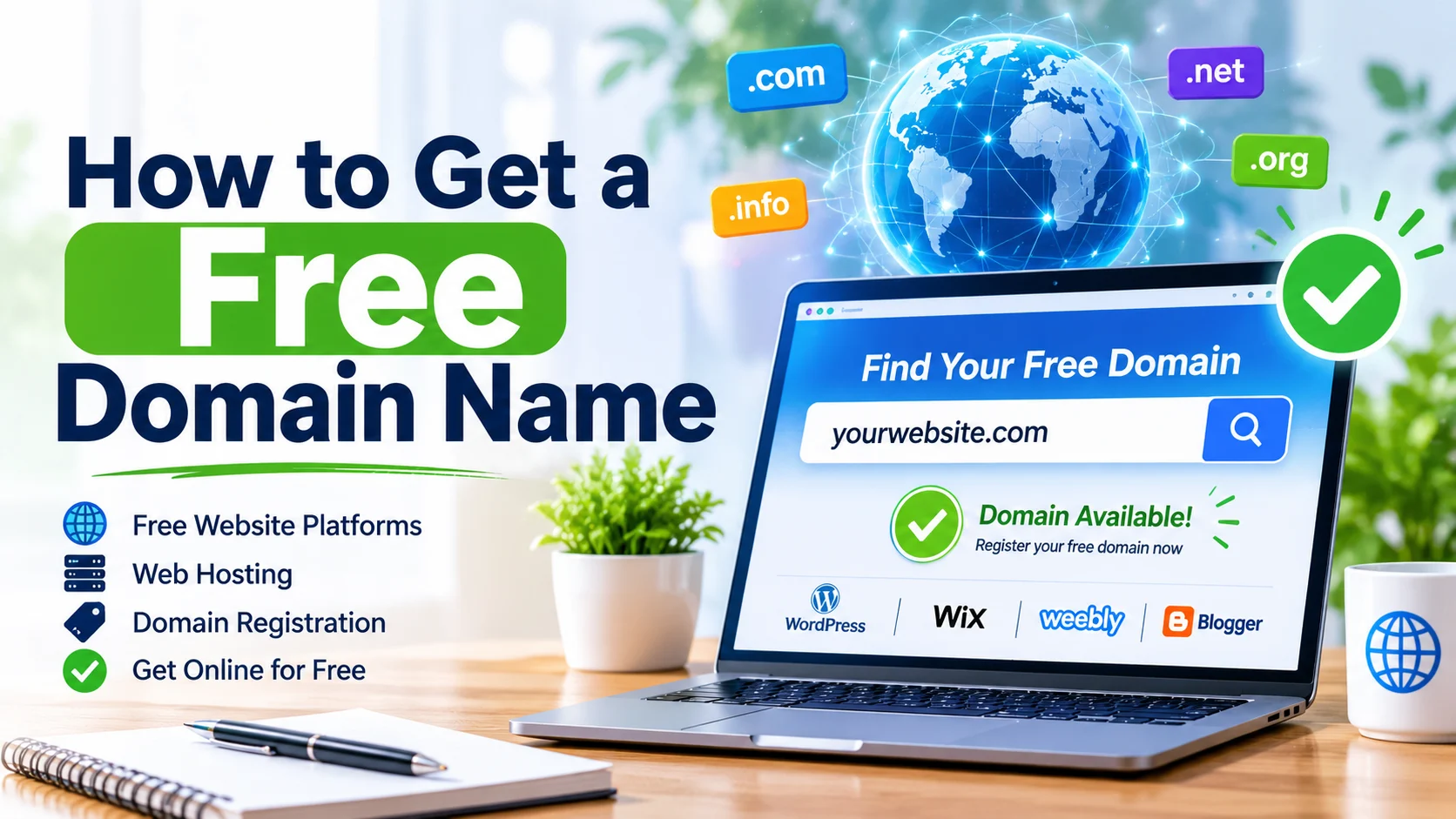
You can get a free domain name by using a website builder such as WordPress.com or Wix, a hosting platform such as GitHub Pages or Cloudflare Pages, or a free subdomain service such as EU.org. Some hosting companies also include a custom domain free for the first year with an eligible paid hosting plan.
Getting a domain name for free is possible, even if you have no budget for launching a website. You can use free domain services, website builders, hosting platforms, or special registration offers to get a website address without paying an upfront domain registration fee.
However, there is an important difference between a completely free website address, such as yourname.wordpress.com, and a professional custom domain, such as yourname.com. Some providers offer free subdomains indefinitely, while others include a custom domain for only the first year when you purchase a hosting or website-building plan.
In this guide, you will learn how to get a free domain name, which platforms offer free website addresses, how to register one step by step, and how to avoid hidden charges. you want to start a blog, create a portfolio, build a business website, or experiment with a new online project, you will find a suitable option.
Important: A permanently free .com domain is generally not available through legitimate mainstream registration services. Most completely free options provide subdomains rather than independently registered domains.
What Is a Free Domain Name?
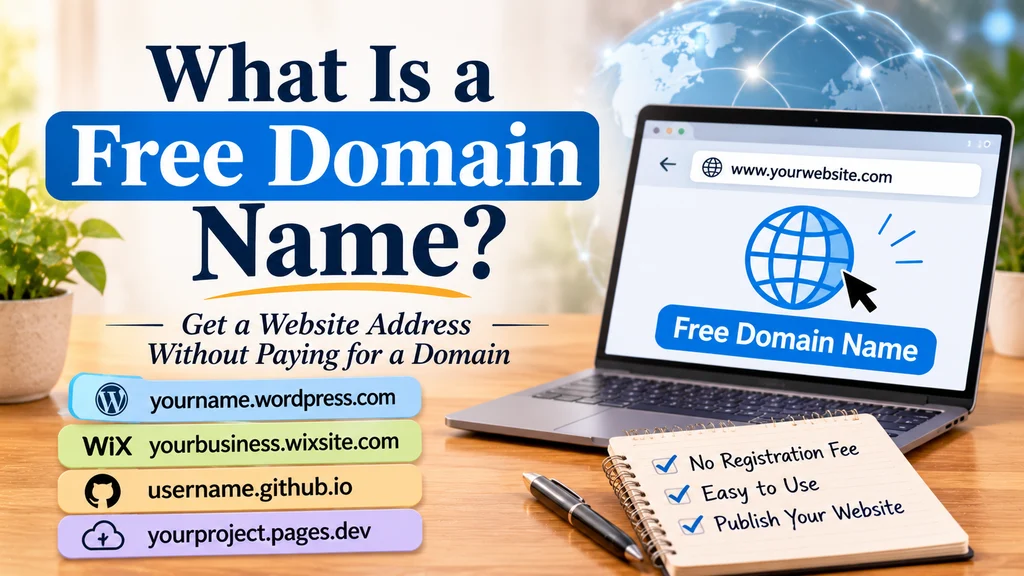
A free domain name is a website address that you can use without paying a separate domain registration fee. It allows people to access your website through a recognizable web address instead of entering a server IP address.
For example:
yourname.wordpress.comyourbusiness.wixsite.comusername.github.ioyourproject.pages.dev
These addresses can help you publish a website without purchasing a traditional domain.
However, not every free website address works in the same way. Some are subdomains controlled by website platforms, while others are promotional offers for custom domain registrations.
Free Domain vs. Free Subdomain
Understanding this difference is important before choosing a provider.
| Feature | Free Subdomain | Free Custom Domain Offer |
|---|---|---|
| Example | mysite.wordpress.com | mysite.com |
| Initial cost | Free | Usually included in a paid package |
| Ownership | Controlled by the platform | Registered under your account |
| Renewal | Usually free under the platform’s terms | Usually paid after the offer |
| Branding | Includes provider name | Uses your chosen domain |
| Best for | Beginners and testing | Businesses and professional websites |
A free subdomain is suitable for learning, blogging, and personal projects. A custom domain is generally better for businesses, professional portfolios, and long-term branding.
7 Ways to Get a Free Domain Name
There are several ways to obtain a website address without paying a separate domain registration fee. The best method depends on your budget, technical knowledge, and website requirements.
1. Get a Free Domain Through WordPress.com
WordPress.com or WordPress.org: Which is Right for You? – Ninja Forms
WordPress.com
Best for beginners and bloggers
Website: WordPress.com
WordPress.com is one of the easiest platforms for getting a free website address. It offers a free website plan that includes a WordPress.com subdomain.
For example, if your preferred website name is mytravelblog, your address could look like this:
mytravelblog.wordpress.com
You do not need to purchase separate hosting or a domain to publish a basic website through its free plan.
How to get a free WordPress domain:
- Visit the official WordPress.com website.
- Create a free account using your email address.
- Choose the option to create a new website.
- Enter your preferred website name.
- Select the available free WordPress.com address.
- Choose the free plan.
- Customize your website and publish it.
WordPress.com provides hosting, website-building tools, and an SSL certificate with its free plan. If you later want a custom domain, you can upgrade to an eligible paid plan.
It also offers a separate promotion in which eligible annual paid plans include a custom domain for the first year. WordPress.com+1
2. Get a Free Website Address Through Wix
What are drag-and-drop website builders, and why are they popular? | Tom’s Guide
Wix
Best for visually designed websites
Website: Wix
Wix is another popular website-building platform that allows beginners to create a website without purchasing a separate domain.
Its free plan provides a Wix-branded website address, generally following this format:
username.wixsite.com/sitename
You can use this address to publish a personal website, portfolio, or basic project.
Steps to get a free Wix domain:
- Open the Wix website.
- Sign up for a free account.
- Select the type of website you want to create.
- Choose a website template.
- Customize your website using the Wix editor.
- Publish your website using the free Wix address.
The main advantage is that you do not need coding skills. You can create pages, add images, publish content, and customize the website through a visual editor.
The limitation is that your free address contains Wix branding. A custom domain and certain advanced features require an eligible paid plan.
3. Get a Free Domain Through GitHub Pages
GitHub Vs. Bitbucket: Which Code Hosting Platform is Best? – Hatica
GitHub Pages
Best for developers and portfolios
Website: GitHub Pages
GitHub Pages is a useful option if you want to publish a static website without paying for traditional web hosting or domain registration.
It provides a free website address using the GitHub Pages domain.
For example:
username.github.io
You can use it to publish:
- Personal portfolios
- Developer resumes
- Project documentation
- Simple business landing pages
- HTML, CSS, and JavaScript websites
How to get a free GitHub Pages address:
- Visit GitHub and create a free account.
- Create a new public repository.
- Name the repository according to GitHub Pages requirements for your user site.
- Upload your website files.
- Configure GitHub Pages in the repository settings.
- Select the publishing source.
- Wait for your website to become available.
GitHub Pages is particularly useful for people who understand basic web development. Unlike traditional website builders, it may require some familiarity with repositories and website files.
You can also connect a custom domain later if you purchase one.
4. Get a Free Domain Through Cloudflare Pages
iO: Cloudflare partner for online security and performance
Cloudflare Pages
Best for developers and modern websites
Website: Cloudflare Pages
Cloudflare Pages allows users to deploy websites using a free platform-provided subdomain.
A typical website address looks like this:
yourproject.pages.dev
It is useful for static websites, landing pages, documentation, and projects built with modern web development frameworks.
Steps to get a free Cloudflare Pages address:
- Create a Cloudflare account.
- Open the Cloudflare Pages dashboard.
- Connect your GitHub or GitLab repository, or use a supported direct-upload workflow.
- Select your website project.
- Configure the deployment settings.
- Deploy your website.
- Use the assigned
.pages.devaddress.
Cloudflare Pages is a good choice for technically confident users who want a fast deployment workflow without purchasing a custom domain.
You can connect a separately registered custom domain when your website grows.
5. Get a Free Domain Through Netlify
Netlify
Best for simple website deployment
Website: Netlify
Netlify offers a convenient way to publish websites with a free platform subdomain.
For example:
yourwebsite.netlify.app
You can use this address for personal projects, portfolios, static websites, and small experiments.
How to get a free Netlify domain:
- Visit the Netlify website.
- Create an account.
- Import your website from a Git repository or use an available deployment method.
- Upload or connect your website files.
- Deploy your website.
- Choose an available site name.
- Publish your project using the
.netlify.appaddress.
One useful feature is that Netlify makes website deployment relatively straightforward. You can also change the assigned site name if another suitable name is available.
A custom domain can be connected separately if you own one.
6. Get a Free Subdomain Through EU.org
EU.org
Best for users comfortable with DNS configuration
Website: EU.org
EU.org is a volunteer-run service that provides free subdomains to eligible applicants.
For example, you may be able to obtain an address such as:
yourname.eu.org
Unlike a typical website-builder subdomain, EU.org requires more involvement in domain configuration.
How to request an EU.org subdomain:
- Visit the official EU.org website.
- Review its registration requirements.
- Create an account.
- Choose an available subdomain.
- Configure the required DNS or nameserver settings.
- Submit your request for approval.
- Wait for the registration review.
The approval process is not necessarily instant. Applications may require manual review, so this option is better for users who can manage DNS settings and are comfortable waiting. Hostinger+1
7. Get a Free Custom Domain With a Hosting Package
Another way to get a free domain name is to purchase a web hosting package that includes domain registration for the first year.
This is different from getting a completely free domain because you still pay for the hosting service.
Some companies offer domain-registration credits or introductory domain promotions with eligible annual plans.
Examples include:
- Hostinger – Official website.
- WordPress.com – Official website.
- Wix – Official website.
How to claim a free domain with hosting:
- Visit the hosting provider’s official website.
- Compare the available hosting packages.
- Check which plans include a free domain.
- Select an eligible plan.
- Search for your preferred domain name.
- Confirm that the extension qualifies for the offer.
- Complete your hosting purchase.
- Register the domain through your account.
Before purchasing, check the renewal price, eligible domain extensions, subscription length, and the domain is free for one year or longer.
This method is more appropriate for people who already intend to pay for website hosting.
Which Free Domain Provider Is Best?
Choosing the right provider depends on the kind of website you want to create.
Here is a simple comparison of the options discussed above.
| Provider | Free address | Best for |
|---|---|---|
| WordPress.com | .wordpress.com | Blogging |
| Wix | .wixsite.com | Business and personal sites |
| GitHub Pages | .github.io | Developer portfolios |
| Cloudflare Pages | .pages.dev | Static websites |
| Netlify | .netlify.app | Website projects |
| EU.org | .eu.org | Custom subdomain requests |
| Hostinger | Eligible custom domain offer | Hosted websites |
My recommendation: If you are a beginner who wants to start blogging, WordPress.com is a convenient starting point. If you want to build a developer portfolio, GitHub Pages is worth considering. If you need a professional business website, consider a custom domain registered in your own account.
How to Register a Free Domain Name Step by Step
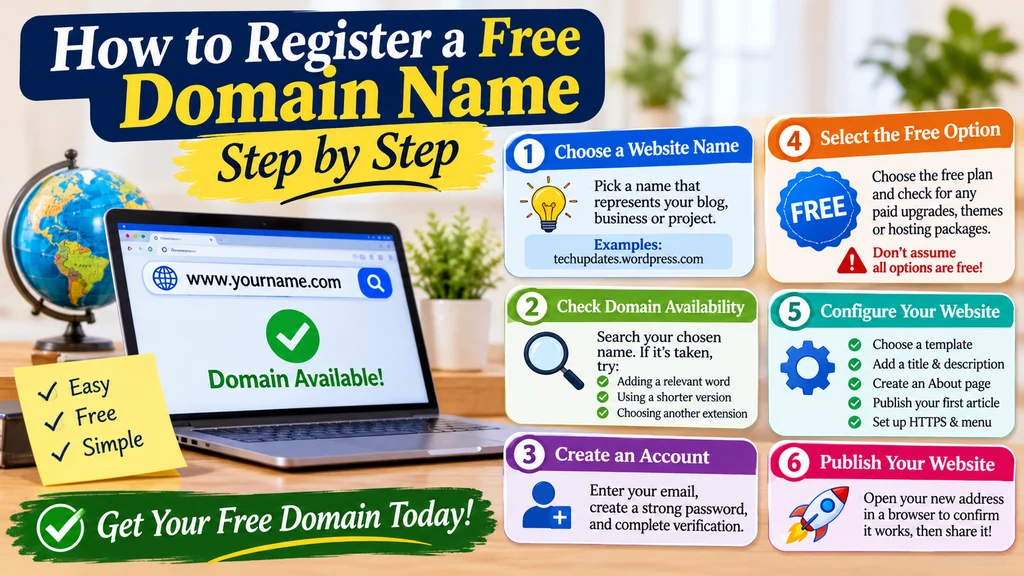
If you have selected a provider, the next step is to register your preferred website address. Although the exact process differs between platforms, most free domain services follow a similar procedure.
Step 1: Choose a Website Name
Start by deciding what you want to call your website. Your domain name should represent your blog, business, personal brand, or project.
For example:
techupdates.wordpress.commyfoodjourney.wixsite.comcreativeportfolio.github.io
Choose a name that is easy to spell, pronounce, and remember.
Step 2: Check Domain Availability
Visit your chosen provider and enter your preferred website name in its search box.
If the name is already taken, try:
- Adding a relevant word.
- Using a shorter variation.
- Including your niche or business category.
- Choosing another available extension or subdomain.
Avoid using another company’s trademark or a confusingly similar brand name.
Step 3: Create an Account
Most providers require an account before allowing you to register a free website address.
Enter your email address, create a strong password, and complete any required verification.
Use an email account you can access regularly because registration notifications and account recovery messages may be sent there.
Step 4: Select the Free Option
Some platforms display both free and paid plans.
Carefully select the free option if you do not want to spend money.
Check the checkout page for optional upgrades, premium themes, hosting packages, and other paid services. Do not assume that every option marked as a domain promotion is completely free.
Step 5: Configure Your Website
After receiving your website address, configure the basic settings.
Depending on the platform, you may need to:
- Choose a website template.
- Add your website title and description.
- Create an About page.
- Publish your first article.
- Configure HTTPS.
- Set up your navigation menu.
Step 6: Publish Your Website
Once everything is ready, publish your website.
Open your new address in a browser to confirm that it works correctly. You can then share it with visitors, friends, customers, or potential clients.
Can You Get a Free .com Domain Name?
A common question is it is possible to get a completely free .com domain.
The straightforward answer is that legitimate mainstream registrars generally do not provide permanently free .com registrations.
A .com domain requires registration through an accredited registrar, and the registration must be renewed to maintain your right to use it.
However, there are a few ways to reduce the initial expense:
- Hosting promotions: Some providers include an eligible custom domain for the first year with a paid hosting package.
- Student offers: Eligible students may qualify for domain-related benefits through educational developer programs.
- Special promotions: Registrars sometimes offer discounted first-year registration for selected extensions.
- Free subdomains: You can use a platform-provided address without purchasing a custom domain.
Remember that a free first-year domain is not necessarily free forever. Check the renewal terms before accepting an offer. Shopify+1
Are Free Domain Names Good for SEO?
Yes, a free subdomain can be indexed by search engines and may appear in search results if the website provides useful content and meets technical requirements.
Google does not automatically exclude a website simply because it uses a platform-provided subdomain.
However, there are practical differences between free subdomains and custom domains.
Advantages for SEO
- You can publish content without purchasing a domain.
- You can test a blog or website idea.
- You can learn basic SEO techniques.
- You can create pages and build an initial audience.
- Some free platforms provide HTTPS and basic website infrastructure.
Limitations for SEO
- Your URL may look less professional.
- Your branding depends on the hosting platform.
- You have less control over the underlying domain.
- Moving to another provider may require additional migration work.
- Some free platforms restrict plugins, customization, or monetization.
A custom domain can make branding and long-term website management easier, but purchasing one does not automatically improve search rankings.
SEO tip: Focus on helpful content, clear website navigation, relevant keywords, fast loading times, mobile usability, and a good user experience. These factors matter more than simply choosing a free or paid domain.
Important Things to Check Before Getting a Free Domain
Not every free domain offer is equally reliable. Before registering, review the following points.
1. Renewal Charges
Check the domain is free permanently or only during an introductory period.
Some companies advertise free domains but charge the regular registration price when the first year ends.
2. Domain Ownership
Understand who controls the domain.
With a platform subdomain, the provider controls the parent domain. You generally cannot transfer that subdomain to another registrar like an independently registered .com.
With a promotional custom domain, confirm that it is registered under your account and that you have the necessary management and transfer rights.
3. SSL Certificate
An SSL/TLS certificate enables HTTPS, helping protect information exchanged between your website and visitors.
Check your provider supports HTTPS for your chosen address.
4. Website Hosting
A domain name and website hosting are different things.
A domain is your website’s address, while hosting stores the website’s files and makes them accessible online.
Some free platforms include both services, but standalone domain services may require separate hosting.
5. Privacy and Security
Review the provider’s account security, privacy policy, DNS controls, and domain registration terms.
Enable two-factor authentication whenever available and keep your account recovery information up to date.
6. Migration Options
Think about your future plans.
If you want to move your website to another hosting provider later, check the platform allows content exports and custom domain connections.
This can save time and prevent unnecessary problems as your website grows.
Common Mistakes to Avoid When Getting a Free Domain
Beginners sometimes choose a free domain without checking the provider’s conditions. Avoid these common mistakes:
- Ignoring renewal prices: A domain promotion may become expensive after the introductory period.
- Choosing a complicated name: Long or difficult addresses are harder to remember.
- Using unreliable providers: Unknown services may have unclear registration and ownership policies.
- Expecting a free subdomain to be transferable: Platform subdomains usually cannot be moved independently.
- Ignoring website security: Use HTTPS and secure your account.
- Choosing a domain that limits your brand: Avoid names that are too narrow if you plan to expand your website.
- Believing every free
.comadvertisement: Be cautious of offers promising permanent free custom domains without clear terms.
One historical example worth understanding is Freenom. It previously provided free registrations for extensions such as .tk, .ml, and .ga, but stopped accepting new registrations in March 2023. It is not a dependable solution for a new website today. Hostinger+1
FAQs
1. How can I get a free domain name?
You can get one through WordPress.com, Wix, GitHub Pages, Netlify, or Cloudflare Pages. These platforms provide free subdomains.
2. Can I get a free .com domain?
A permanently free .com is generally unavailable through legitimate mainstream registrars. Some hosting plans include first-year domain registration.
3. Is WordPress a good option for a free domain?
Yes, WordPress.com offers a free plan with a subdomain, website hosting, themes, and basic website-building features.
4. Can I use a free domain for blogging?
Yes, you can publish blog posts, build an audience, and practice SEO using a free subdomain.
5. Are free domains safe?
They can be safe when obtained from reputable providers. Check security features, ownership terms, and account protection.
6. Can I change my free domain later?
You can often change a platform-provided address or connect a custom domain, depending on the provider’s rules.
7. Do free domains expire?
Platform subdomains may remain available while your account follows the provider’s terms. Promotional custom domains have specific renewal dates.
8. Can I use a free domain for a business?
Yes, but a custom domain is generally more suitable for professional branding, customer trust, and long-term business development.
Conclusion
Learning how to get a free domain name is a practical first step toward building an online presence without a large budget. Platforms such as WordPress.com, Wix, GitHub Pages, Netlify, and Cloudflare Pages offer free subdomains that are useful for blogs, portfolios, personal websites, and development projects. EU.org is another option for people comfortable with domain configuration.
Before choosing a provider, understand the difference between a free subdomain and a custom domain promotion. Check renewal charges, ownership, security, and migration options so you do not face unexpected costs later.
A free website address is an excellent starting point for beginners. Once your website grows and you need stronger branding, you can consider investing in a professional custom domain.
Discover More Related Articles:
- Name Calculator | Discover Your Name Number, Meaning & Numerology in 2026
- Charlie Kirk’s Book Stop in the Name of God | Meaning, Summary & Key Lessons In 2026
- Lina Name Meaning | Origin, History, & Cultural Significance In 2026